Miswak Case Product Website
Make a physical product easy to explore online.
A product website that lets visitors inspect the case, compare colours, and understand the physical and print-your-own editions.
- Relationship
- Project
- Focus
- A home for your daily ritual
- Project status
- Collection preview
The project
A physical product with a digital front door
Agency7 connected the product model, interactive presentation, and practical guidance in one website. The live collection preview introduces the case while making its launch status clear.
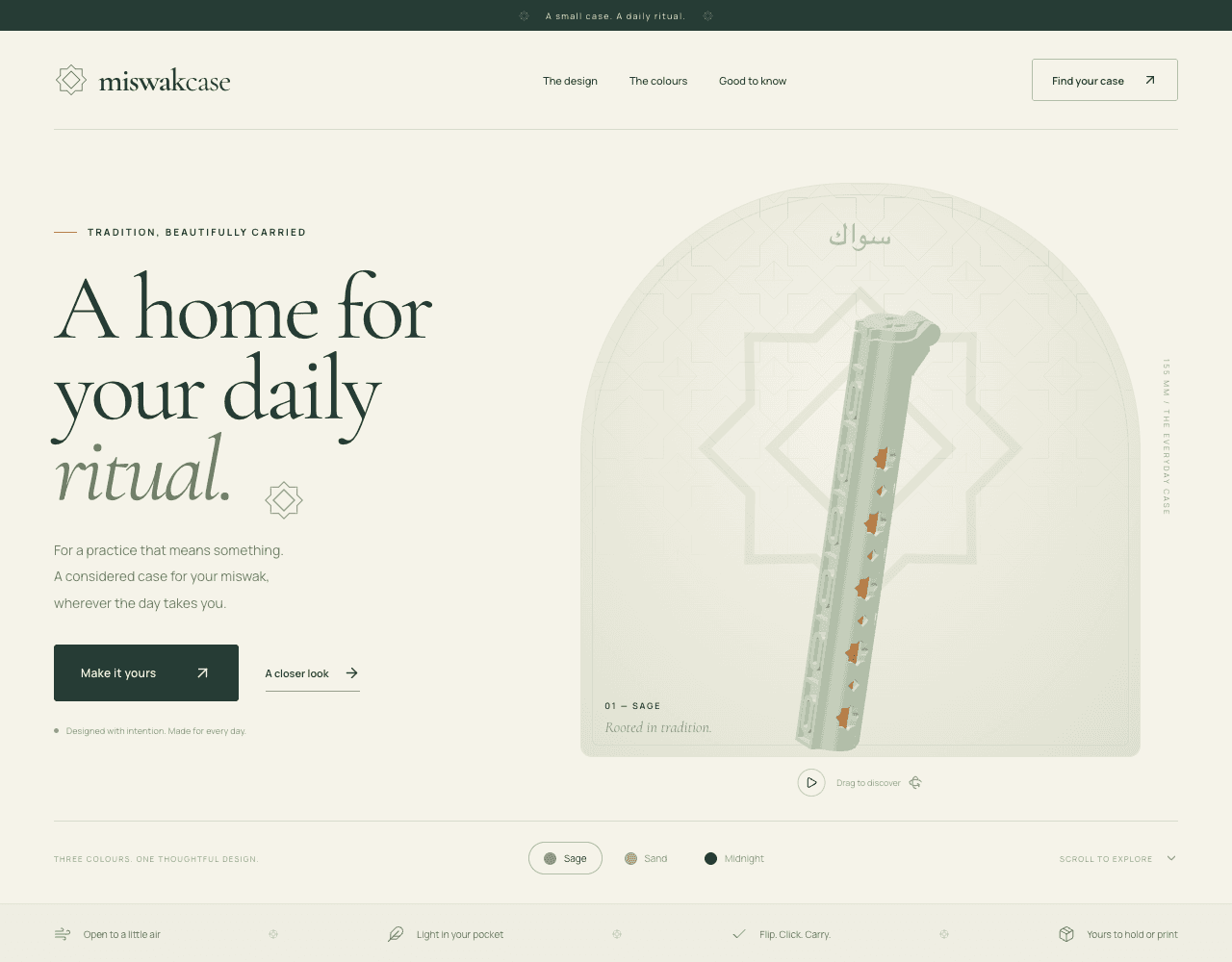
Miswak Case is a 15.5 cm holder with geometric ventilation openings, an attached flip-top lid, and a slim silhouette. Its website introduces the design in Sage, Sand, and Midnight, then offers two ways to make it part of a routine: a physical case or a digital edition for printing at home.
The visual language follows the object. Soft cream backgrounds, deep green typography, geometric details, and a large product view give the case room to explain itself. Copy stays close to everyday use: airflow, portability, opening the lid, and carrying the case.
01 / The problem
Make the details tangible on a screen
A small object has to communicate a lot online. Visitors need to understand its shape, how the lid works, why the openings are there, and whether their miswak will fit. The website needed to make those practical details easy to explore while preserving the quiet, considered character of the brand.
The physical and digital editions also need different explanations. Someone choosing a finished case wants fit and care information. Someone printing their own needs file formats, material guidance, and print notes. Both paths belong to the same product story.
02 / What we built
What we built
An interactive product introduction
A prominent 3D product view with drag-to-explore interaction, an animation pause control, and colour selection lets visitors inspect the case before reading the finer details.
A visual identity carried through the page
Cream, sage, sand, and deep green tones sit alongside editorial typography and geometric motifs. The hero, detail sections, colour cards, and product selector share the same visual language.
Three connected colourways
Sage, Sand, and Midnight appear throughout the experience, connecting the initial product exploration to the visitor’s chosen edition and colour.
Physical and print-your-own editions
A product selector presents a finished case alongside a digital edition. The digital offer describes STL and 3MF files, an editable Blender file, and print notes.
Practical product guidance
Fit, lid operation, what is included, printing guidance, and care instructions are collected in an accessible question-and-answer section.
A clear collection preview
The live site labels the collection as a preview, marks prices as subject to confirmation, and explains that purchases open when the collection launches.
03 / How it works
From first look to product choice
The page moves from an emotional introduction to a practical decision, keeping the case itself at the centre.
- 01
Explore the case
Start with the interactive product view, inspect the form, and switch between the three colours.
- 02
Understand the details
Learn about the geometric openings, attached lid, and everyday dimensions through short, focused sections.
- 03
Choose an edition
Compare a finished physical case with the digital files for printing your own, then choose a colour and quantity.
- 04
Check fit and next steps
Read the fit, printing, and care guidance. The current preview makes the upcoming collection launch explicit before any purchase.
04 / The result
What shipped
- A live product website at miswakcase.com with a cohesive visual identity and interactive product exploration.
- A clear presentation of three colourways and both physical and digital editions.
- A bridge between printable product geometry and the browser, documented in the earlier STL viewer and the current product experience.
- Fit, printing, and care information presented alongside the product choice.
- The website is live in collection-preview mode, with purchases set to open when the collection launches.
The build behind the experienceTechnical details
Web foundation
- Next.js + ReactThe project’s web foundation, connecting product content and interactive components.
- TypeScriptTyped application code in the source project.
3D prototyping
- Three.js + React Three FiberThe earlier local viewer renders the actual STL product geometry in a browser canvas.
- Drei + STLLoaderOrbit controls, model loading, and a custom-text preview in the earlier prototype.
Product and presentation
- STL, 3MF + BlenderThe live digital edition describes printable models, an editable source file, and print notes.
- VercelHosting for the live product website.
Your next project
Something in mind?
Let’s build it.
Tell us what your business needs. We’ll help you work out what to build and how to keep it running.
Talk about your project See more work